Introduction
AI is changing software development faster than ever. From writing code snippets to fixing bugs and explaining complex functions, modern AI Coding Assistants are becoming reliable coding partners rather than simple autocomplete tools.
- Introduction
- Why AI Coding Assistants Are Becoming Essential
- How I Tested These AI Coding Assistants
- Top 5 AI Coding Assistants That Impressed Me
- Cursor: The Most Powerful Overall Tool
- GitHub Copilot: The Most Practical Daily Assistant
- Cursor vs GitHub Copilot
- Claude Code: Surprisingly Powerful for Complex Projects
- Windsurf: Built for Next-Generation AI Coding Agents
- The Best Open-Source Alternative
- Other AI Coding Assistants I Tested
- Which AI Coding Assistant Is Best for You?
- Key Features to Look for in AI Coding Assistants
- Are AI Coding Agents Replacing Developers?
- What I Learned After Testing 10 AI Coding Assistants
- Future of AI Coding Assistants
- Frequently Asked Questions
- Conclusion
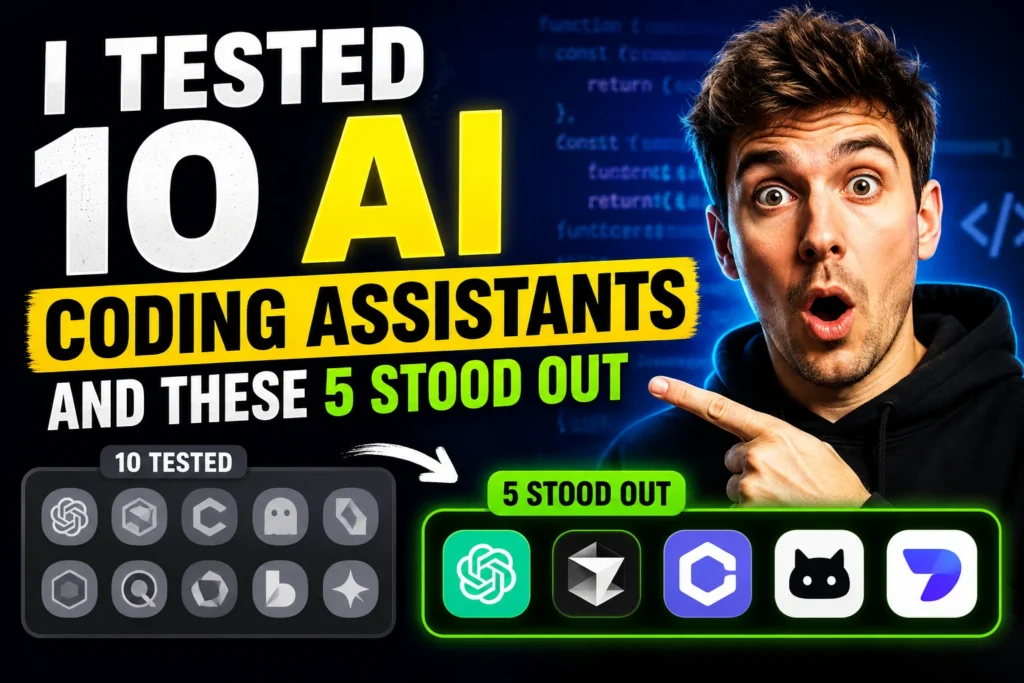
Over the past few months, I tested ten popular AI tools across different programming tasks, including web development, Python scripting, debugging, documentation, and code refactoring. Some tools felt like a productivity superpower, while others struggled with accuracy and context. After extensive testing, five AI coding tools consistently delivered better results. In this guide, I’ll share my experience, compare their strengths, and explain which developers should use each one. Whether you’re a beginner, freelancer, or professional engineer, this comparison will help you choose the Best AI Coding Assistants available today.
Why AI Coding Assistants Are Becoming Essential
Software development is no longer just about writing code manually. Modern AI Code Generation Tools can:
- Generate functions and classes
- Explain existing code
- Detect bugs quickly
- Write documentation
- Suggest improvements
- Refactor large codebases
- Speed up repetitive tasks
Many developers now use AI Pair Programming Tools to reduce development time and focus more on solving problems. As AI evolves, developers should also understand what is agentic ai , since next-generation AI Coding Agents are expected to handle increasingly complex workflows.
How I Tested These AI Coding Assistants
I evaluated ten tools based on several real-world scenarios.
Testing Criteria
| Criteria | Importance |
|---|---|
| Code Accuracy | High |
| Debugging Ability | High |
| Context Understanding | High |
| Speed | Medium |
| Multi-file Support | High |
| Ease of Use | Medium |
| Documentation Help | Medium |
| Price-to-Value Ratio | High |
Tasks Used During Testing
- Python scripting
- React applications
- API integrations
- Debugging existing projects
- SQL queries
- Documentation writing
- Code refactoring
- Multi-file code generation
After hundreds of prompts, these five tools consistently stood out.
Top 5 AI Coding Assistants That Impressed Me
| Tool | Best For |
| Cursor | Full-project coding |
| GitHub Copilot | Everyday coding |
| Claude Code | Large context understanding |
| Windsurf | AI workflow automation |
| Continue.dev | Open-source users |
Cursor: The Most Powerful Overall Tool
Among all the AI Coding Assistants I tested, Cursor delivered the most balanced experience. Unlike traditional autocomplete tools, Cursor feels like having a senior developer working alongside you.
What Makes Cursor Stand Out
- Excellent code generation
- Strong debugging capabilities
- Multi-file awareness
- Fast responses
- Great UI
- Easy code editing
Cursor handled complex React projects surprisingly well. It could understand project structures and suggest modifications across multiple files. This makes Cursor one of the Best AI Tools for Developers working on large applications.
Pros
- Outstanding context awareness
- Fast edits
- Great debugging
- Excellent for full-stack development
Cons
- Paid plans can become expensive
- Heavy usage consumes credits quickly
Best For
- Professional developers
- Startup teams
- Full-stack engineers
GitHub Copilot: The Most Practical Daily Assistant
GitHub Copilot remains one of the most popular AI Pair Programming Tools for a reason. It integrates directly into VS Code and provides code suggestions almost instantly.
Strengths
- Excellent autocomplete
- Fast suggestions
- Supports multiple languages
- Easy setup
- Great VS Code integration
For routine coding tasks, GitHub Copilot significantly improved productivity. However, it sometimes struggled with larger contexts compared to newer AI Coding Agents.
Pros
- Beginner-friendly
- Reliable performance
- Supports many languages
- Affordable pricing
Cons
- Limited project awareness
- Sometimes repetitive outputs
Cursor vs GitHub Copilot
One question many developers ask is: Cursor vs GitHub Copilot – which one is better?
| Feature | Cursor | GitHub Copilot |
| Multi-file Context | Excellent | Good |
| Refactoring | Excellent | Moderate |
| Speed | Fast | Very Fast |
| Debugging | Excellent | Good |
| Ease of Use | Easy | Very Easy |
| IDE Integration | Good | Excellent |
If you work with large codebases, Cursor wins. If you want a lightweight assistant for everyday development, GitHub Copilot remains a fantastic choice. Developers interested in the future of ai 2026 should pay attention to tools like Cursor because they represent where AI Coding Agents are heading.
Claude Code: Surprisingly Powerful for Complex Projects
Claude Code was one of the biggest surprises during testing. Its biggest advantage is understanding huge amounts of code and maintaining context over long conversations.
This makes Claude Code especially useful for:
- Architecture planning
- Code explanations
- Refactoring
- Documentation
- Debugging
Claude Code vs Cursor
This comparison has become increasingly popular.
| Feature | Claude Code | Cursor |
| Context Window | Excellent | Excellent |
| UI | Basic | Superior |
| Refactoring | Strong | Excellent |
| Long Conversations | Excellent | Good |
| Coding Speed | Moderate | Fast |
Claude Code shines when working with larger projects that require extensive reasoning.
For developers wanting to stay competitive, understanding ai skills every developer should learn is becoming just as important as mastering programming languages.
Windsurf: Built for Next-Generation AI Coding Agents
Windsurf takes a slightly different approach. Rather than acting as simple autocomplete software, it focuses on workflow automation.
During testing, Windsurf performed well in:
- Code generation
- Refactoring
- Project-wide modifications
- Debugging
Its intelligent workflow capabilities make it one of the most interesting AI Coding Agents available today.
Pros
- Smart workflow support
- Modern interface
- Strong coding capabilities
Cons
- Learning curve
- Still evolving
Many experts believe these types of tools represent the next stage of software development, alongside other emerging technology trends 2026 .
The Best Open-Source Alternative
Many developers are searching for GitHub Copilot Alternatives that offer more control and flexibility. Among the open-source options I tested, Continue.dev stood out. Unlike commercial tools, Continue.dev allows developers to connect their preferred language models and customize workflows according to their needs.
Why Continue.dev Impressed Me
- Open-source flexibility
- Supports multiple AI models
- Works inside VS Code
- Strong community support
- No vendor lock-in
For developers interested in Open-Source AI Coding Assistants, Continue. dev offers excellent value.
Pros
- Free and customizable
- Supports local models
- Privacy-friendly
- Active community
Cons
- Requires setup
- Less beginner-friendly
Best For
- Advanced developers
- Open-source enthusiasts
- Teams requiring greater control
Other AI Coding Assistants I Tested
Not every tool made the top five, but several deserve recognition.
Amazon Q Developer
Good for AWS users and cloud-based development.
Tabnine
One of the oldest AI Code Generation Tools. Reliable but less powerful compared to newer models.
Replit AI
Great for beginners and browser-based coding.
Codeium
A popular free alternative with solid performance.
JetBrains AI Assistant
Best suited for developers already using JetBrains IDEs.
Which AI Coding Assistant Is Best for You?
The answer depends on your workflow.
| User Type | Recommended Tool |
|---|---|
| Beginners | GitHub Copilot |
| Full-Stack Developers | Cursor |
| Large Projects | Claude Code |
| Open-Source Enthusiasts | Continue.dev |
| Automation Workflows | Windsurf |
| AWS Developers | Amazon Q |
Key Features to Look for in AI Coding Assistants
Before choosing an AI assistant, consider these factors.
Context Awareness
The ability to understand multiple files and project structure.
Code Quality
Accurate suggestions save hours of debugging.
Debugging Support
Strong debugging capabilities increase productivity.
IDE Compatibility
The best AI Pair Programming Tools should integrate smoothly with VS Code or JetBrains.
Cost
Some tools become expensive with heavy usage.
Privacy
Developers working with sensitive code may prefer Open-Source AI Coding Assistants.
Are AI Coding Agents Replacing Developers?
AI Coding Agents are productivity tools, not replacements.
These systems are excellent at:
- Generating boilerplate code
- Explaining errors
- Writing tests
- Refactoring functions
- Improving documentation
However, they still struggle with:
- Complex architecture decisions
- Business logic
- Creativity
- Product strategy
- Human communication
The best developers use AI to amplify their skills rather than depend entirely on automation.
What I Learned After Testing 10 AI Coding Assistants
After weeks of testing, a few patterns became obvious.
Context Is Everything
Tools with better context windows consistently produced higher-quality outputs.
AI Works Best as a Partner
Treating these systems as AI Pair Programming Tools produced better results than expecting perfect answers.
Prompting Matters
Clear prompts significantly improved code quality.
Specialized Tools Win
Different tools excel in different situations. There is no single perfect solution.
Future of AI Coding Assistants
The next generation of AI Coding Agents will likely move beyond code completion.
Future capabilities may include:
- Autonomous bug fixing
- Full-stack project generation
- Deployment automation
- Real-time architecture suggestions
- Multi-agent collaboration
- Intelligent testing systems
As models continue improving, developers who embrace AI will have a significant advantage.
Frequently Asked Questions
Which is the best AI coding assistant overall?
Cursor was the most impressive tool during testing because of its context awareness, debugging abilities, and project-wide understanding.
Is GitHub Copilot still worth using?
Yes. GitHub Copilot remains one of the Best AI Coding Assistants for everyday development and is especially beginner-friendly.
What are the best GitHub Copilot alternatives?
Popular GitHub Copilot Alternatives include:
- Cursor
- Claude Code
- Continue.dev
- Codeium
- Windsurf
Which tool wins in Cursor vs GitHub Copilot?
Cursor performs better for large projects, while GitHub Copilot excels at quick code completion.
Claude Code vs Cursor: Which one is better?
Cursor offers a better interface and speed, while Claude Code excels in handling long conversations and larger code contexts.
Are AI coding assistants replacing programmers?
No. AI Coding Agents improve productivity but still require human expertise and decision-making.
What are the best open-source AI coding assistants?
Continue.dev and Codeium are among the most popular Open-Source AI Coding Assistants available today.
Which AI tool is best for beginners?
GitHub Copilot is ideal for beginners because it is easy to use and integrates directly with VS Code.
Conclusion
AI-assisted development is no longer the future-it is already transforming how software is built. After testing ten different tools, five stood out because they consistently delivered better accuracy, stronger context understanding, and greater productivity. If I had to recommend just one tool overall, Cursor would be my first choice. However, GitHub Copilot, Claude Code, Windsurf, and Continue.dev all have unique strengths depending on your needs. The best strategy is not choosing one tool forever, but learning how to combine these AI Coding Assistants effectively to maximize productivity.